Generate quizzes fast — then edit, practice, share, and track results
Turn any text, PDF, or document into clean, ready-to-use quizzes. Edit questions, practice in-app, share a link to take the quiz, and review results. Export to PDF or DOCX when you need it.

Upload → Generate → Edit → Practice / Share → Results
A complete workflow for teachers and learners — from source material to results.
Save hours of manual question writing
Accurate, well-formatted questions
Export to PDF or DOCX instantly
Works in any language
Privacy-first controls
How it works
From source material to practice, sharing, and results.
Upload or paste your content
Upload PDF, DOCX, TXT, MD files, or paste text directly. Works in any language and supports large documents.
Generate a quiz
AI creates well-structured questions with answers (and optional explanations).
Edit and refine
Adjust the title, questions, and answer options before you use it.
Practice or share
Practice in-app, or copy a link so others can take the quiz.
Review results or export
Track attempts and results, or export to PDF/DOCX for printing.
See the product
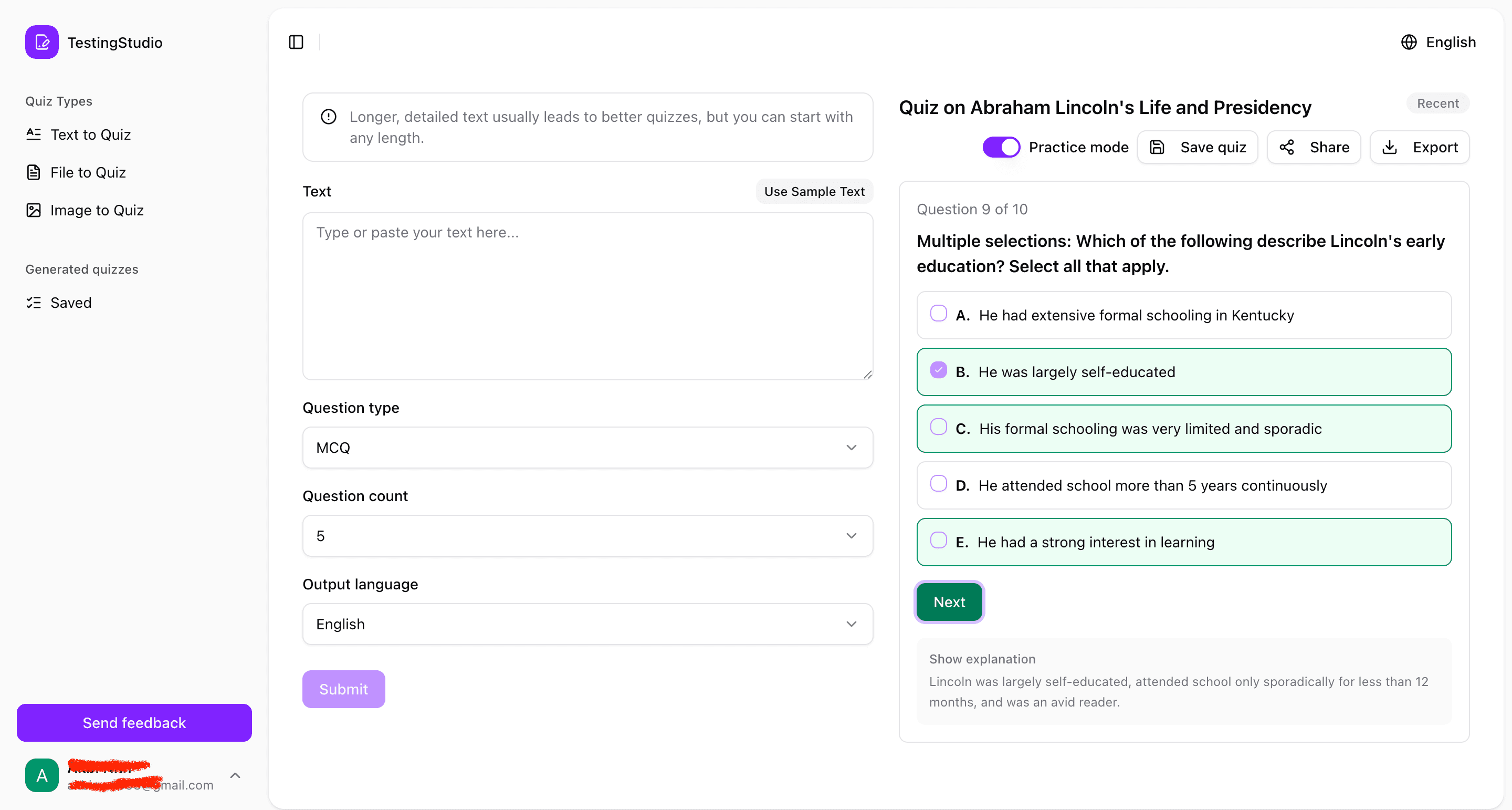
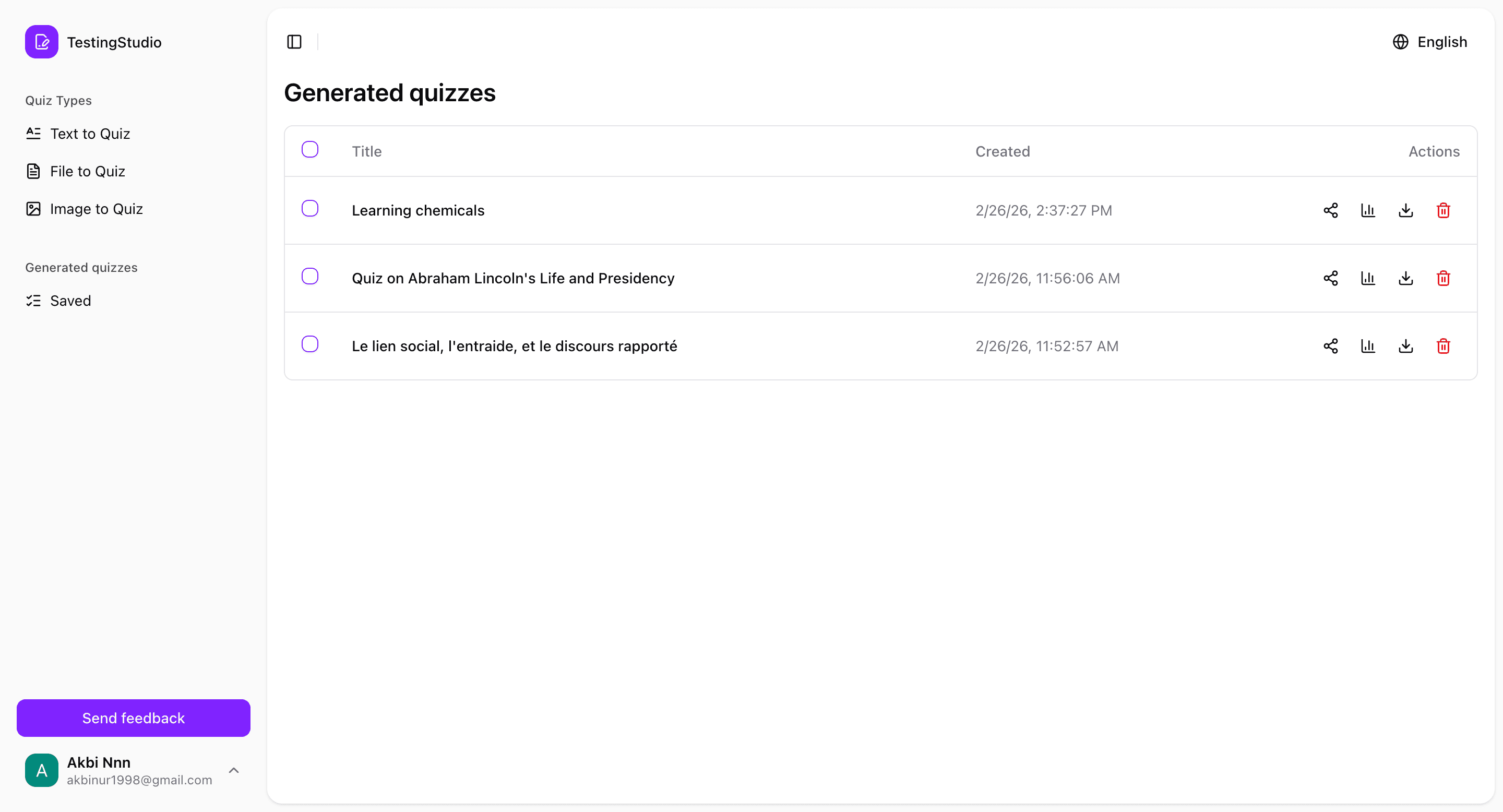
A quick tour of TestingStudio — generate, edit, practice, share, and review results.


Why educators and teams choose TestingStudio AI
Save 4–10 hours every week — generate quizzes in seconds
Paste text, upload a file, or insert study notes — get a full quiz instantly.
Perfect formatting so you don't have to fix anything
Every quiz includes consistent formatting, correct answer keys, and optional explanations.
Works with any subject or difficulty level
History, science, training, laws, technical topics — everything is supported.
Export in professional-grade formats
Download quizzes as PDF or DOCX, ready for printing or sharing.
Supports long documents
Generate quizzes from large files (essays, chapters, reports, manuals).
Unlike other quiz tools
TestingStudio keeps formatting clean, exports to DOCX, and never stores your files.
A complete quiz workflow
Built for both teaching and self-study — from generation to results.
Practice mode
Answer questions one by one and check yourself as you go.
Edit questions
Fix wording, adjust options, and fine-tune difficulty before sharing.
Save & manage
Keep quizzes in your list so you can reuse and share them later.
Share & take
Copy a link so others can take the quiz from any device.
Results & stats
See attempts, scores, and per-question answers.
Export to PDF/DOCX
Download clean documents for printing or offline use.
Built for teachers and learners
Different goals, one workflow: create, practice, share, and track.
For teachers & trainers
Create quizzes quickly, share them with learners, and review results.
- Generate a quiz and quickly edit it to match your lesson
- Share a link so students can take it on any device
- Track attempts and see per-question answers
- Export to PDF/DOCX for printing or offline use
For students & self-learners
Turn your materials into practice questions and study with feedback.
- Turn notes, chapters, or slides into a quiz
- Use practice mode to check yourself as you go
- Review your results and focus on weak spots
- Retake quizzes anytime to reinforce learning
Works with the formats you already use
Text
Direct text input
Portable Document Format
DOCX
Microsoft Word documents
TXT
Plain text files
MD
Markdown files
Upload your content in any of these formats and instantly turn it into a quiz.
Export quizzes in clean, ready-to-use formats
Portable Document Format
DOCX
Microsoft Word documents
Without answers
Perfect for students and applicants
- Questions only
- Clean professional layout
- Ideal for exams or student practice
With answers & explanations
Ideal for teachers and trainers
- Correct answers highlighted
- AI-generated explanations
- Ideal for teachers and trainers
All export formats are fully editable and ready to use
Designed for anyone who creates quizzes
Teachers
Generate exams, assignments, and quizzes in seconds.
Students
Turn your notes or textbook chapters into study quizzes.
Tutors & Educators
Prepare lessons, homework, and review materials instantly.
Who is this NOT for?
Media-rich quizzes
People looking to create quizzes with images, audio, or drag-and-drop question types.
Real-time collaboration
Users who need real-time collaboration features.
Advanced analytics
Teams requiring advanced analytics and reporting.
Privacy-first by design
Your content is processed to generate quizzes
You control what you save or share
See the Privacy Policy for the latest details
Security matters. We keep privacy claims specific and documented.
Build your first AI-powered quiz in seconds
Generate, edit, practice, share, and review results — all in one place.